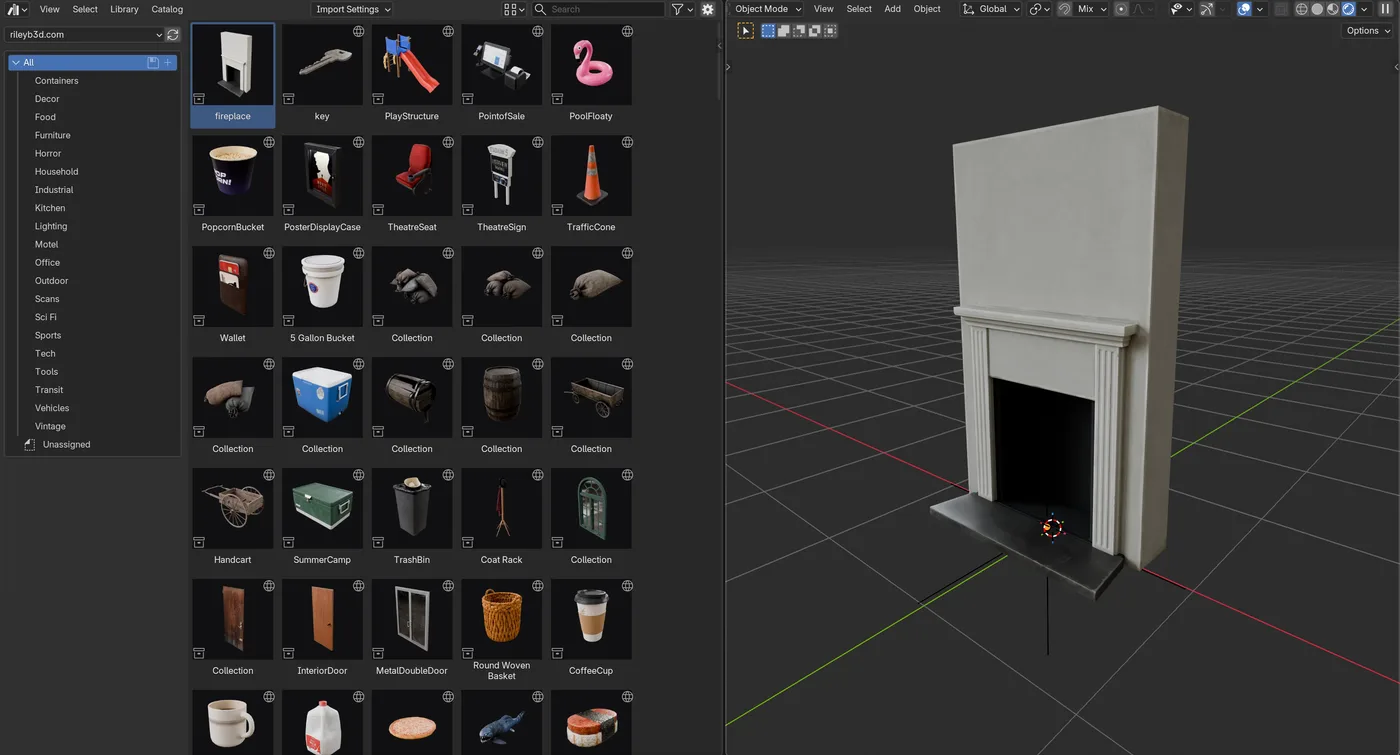
Blender 5.2 shipped a feature I have been waiting for: remote asset libraries. You give Blender a URL, and it treats everything behind that URL like a local asset library. I spent the day hooking the entire rileyb3d library into it, and it is now live for everyone.
Here is what that means in practice. All 297 models appear in your Asset Browser with thumbnails, sorted into categories like Furniture, Kitchen, and Sci Fi. You drag a model into your scene and it downloads in the background, textures packed and ready. Nothing sits on your disk until you actually use it. And when I publish new assets, they show up in your Blender on the next refresh without you doing anything.
Setting it up
- In Blender, open Edit, then Preferences, then File Paths, then Asset Libraries.
- Click the + button and choose Add Remote Asset Library, paste your library URL, and click Create.
- Open an Asset Browser editor, pick the rileyb3d library, and start dragging models into your scene.
Where your URL comes from
If you have the Site Pass or own the library, your personal URL is waiting on your account page under Purchases. It unlocks the full library in Blender, and it is tied to your account, so keep it to yourself. You can replace it anytime from the same page.
If you are not subscribed yet, there is a free library you can try right now. Paste this URL into Blender and you get all the free models the same way:
/bl/free/You will need Blender 5.2 or newer, with Allow Online Access enabled under Preferences, then System. Assets download when first used, so an internet connection is needed for models you have not cached yet.
This is the same library as the one on the site, just closer to where you actually work. If something misbehaves, or there is an asset you want me to make next, reach me through the contact page. I read everything.
Comments
Sign in with a free account to join the conversation.